Steps to Add a User with Full Access:
Sign in to Google Search Console:
Navigate to Google Search Console and log in with your account credentials.
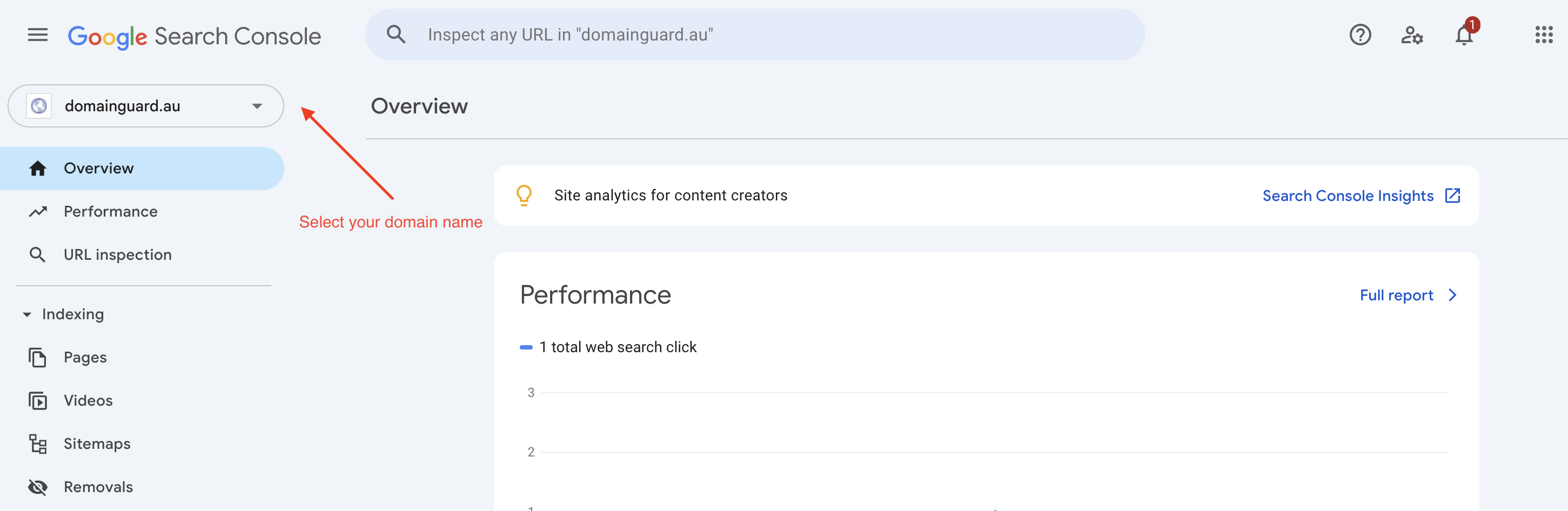
Select Your Property:
In the property selector dropdown, choose the website property to which you want to add a user.
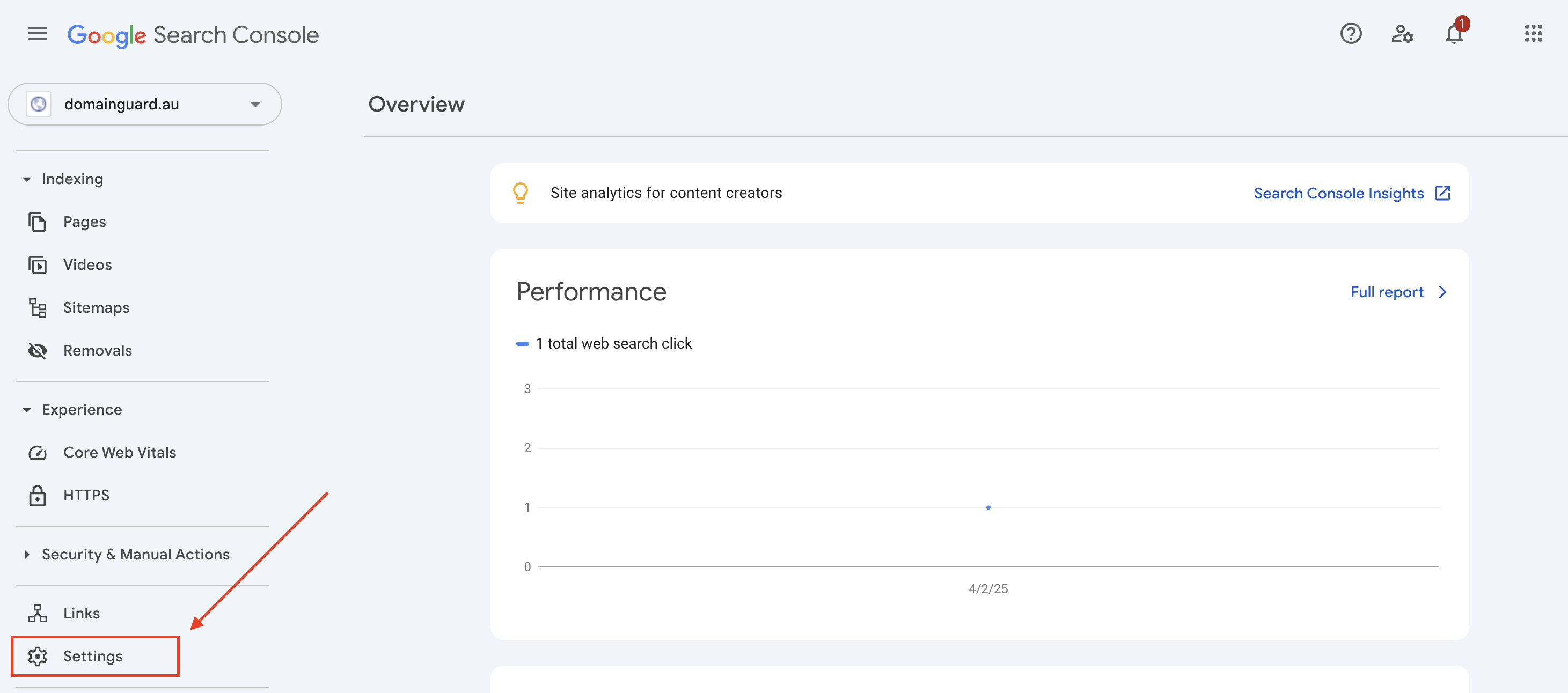
Access Settings:
On the left-hand sidebar, click on the gear icon labeled "Settings."
Navigate to Users and Permissions:
Under the "Settings" section, select "Users and permissions."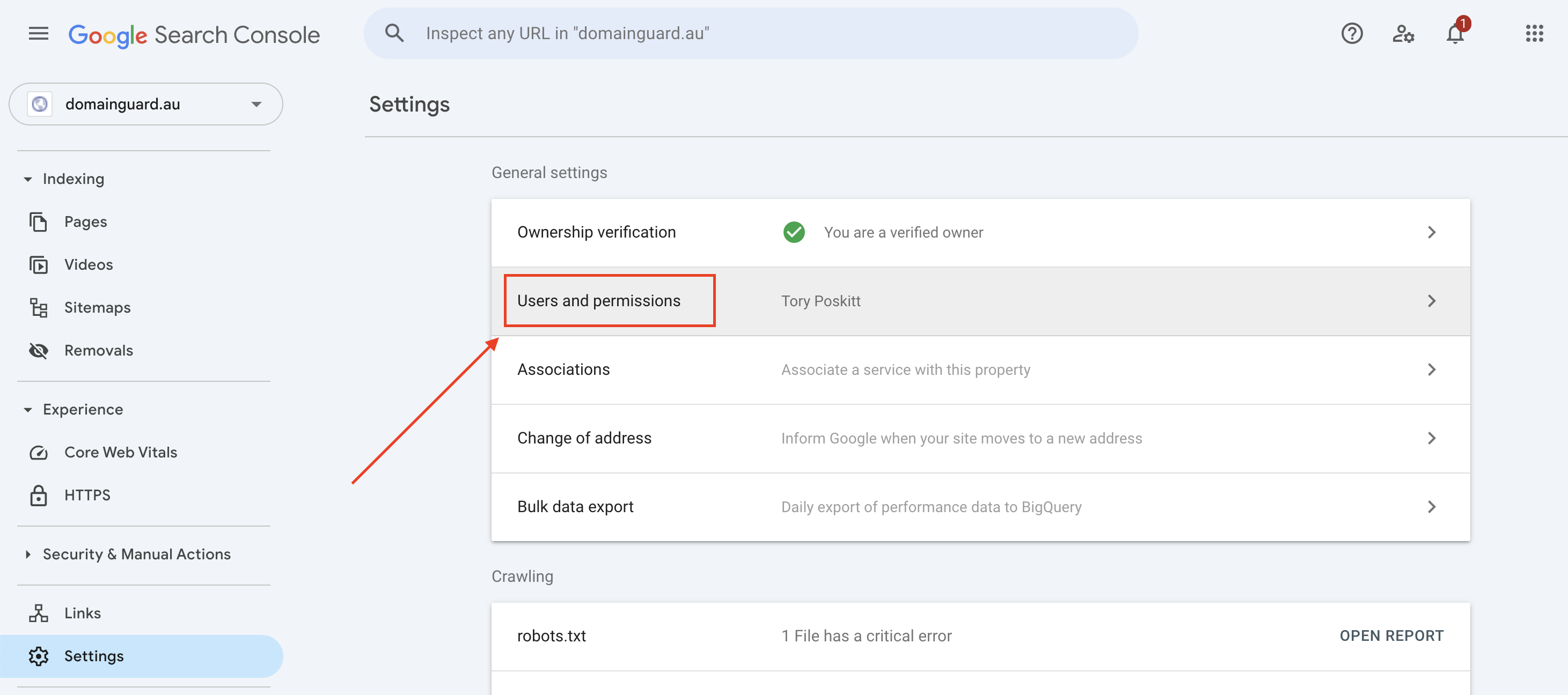
Add a New User:
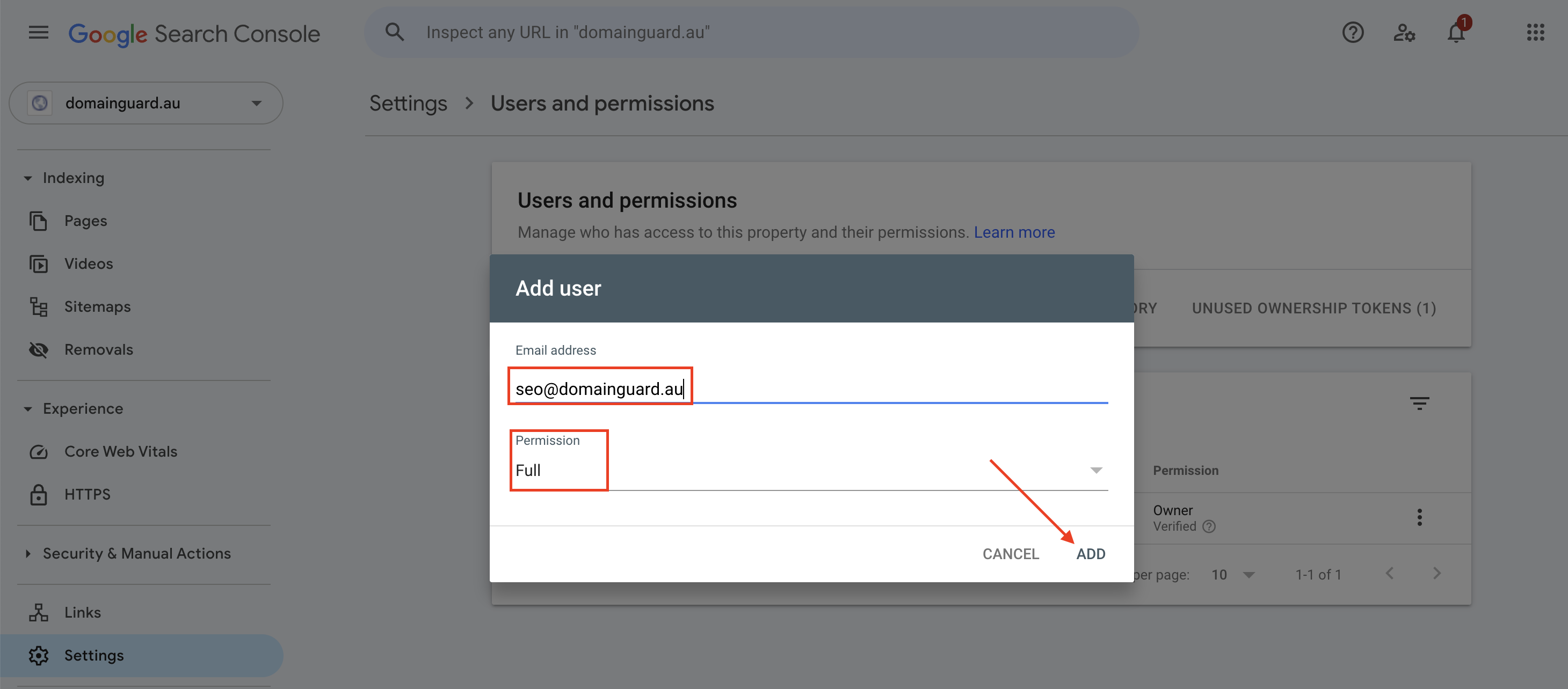
Click the "Add User" button.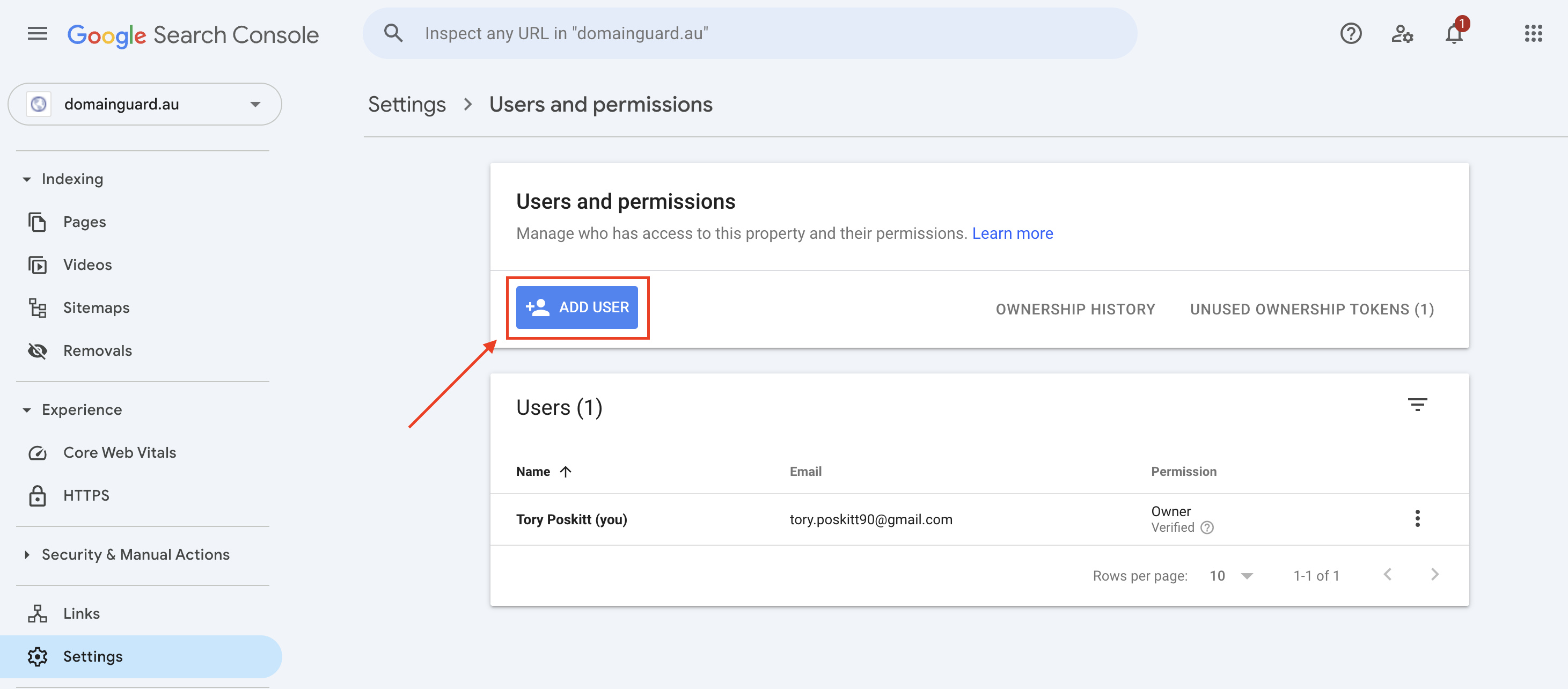
Enter User Details:
In the dialog box that appears:
Email Address: Enter seo@domainguard.au.
Permissions: Select "Full" from the dropdown menu to grant full access.
Confirm Addition:
Click "Add" to send the invitation.